DIY Audiobooks with make-audiobook
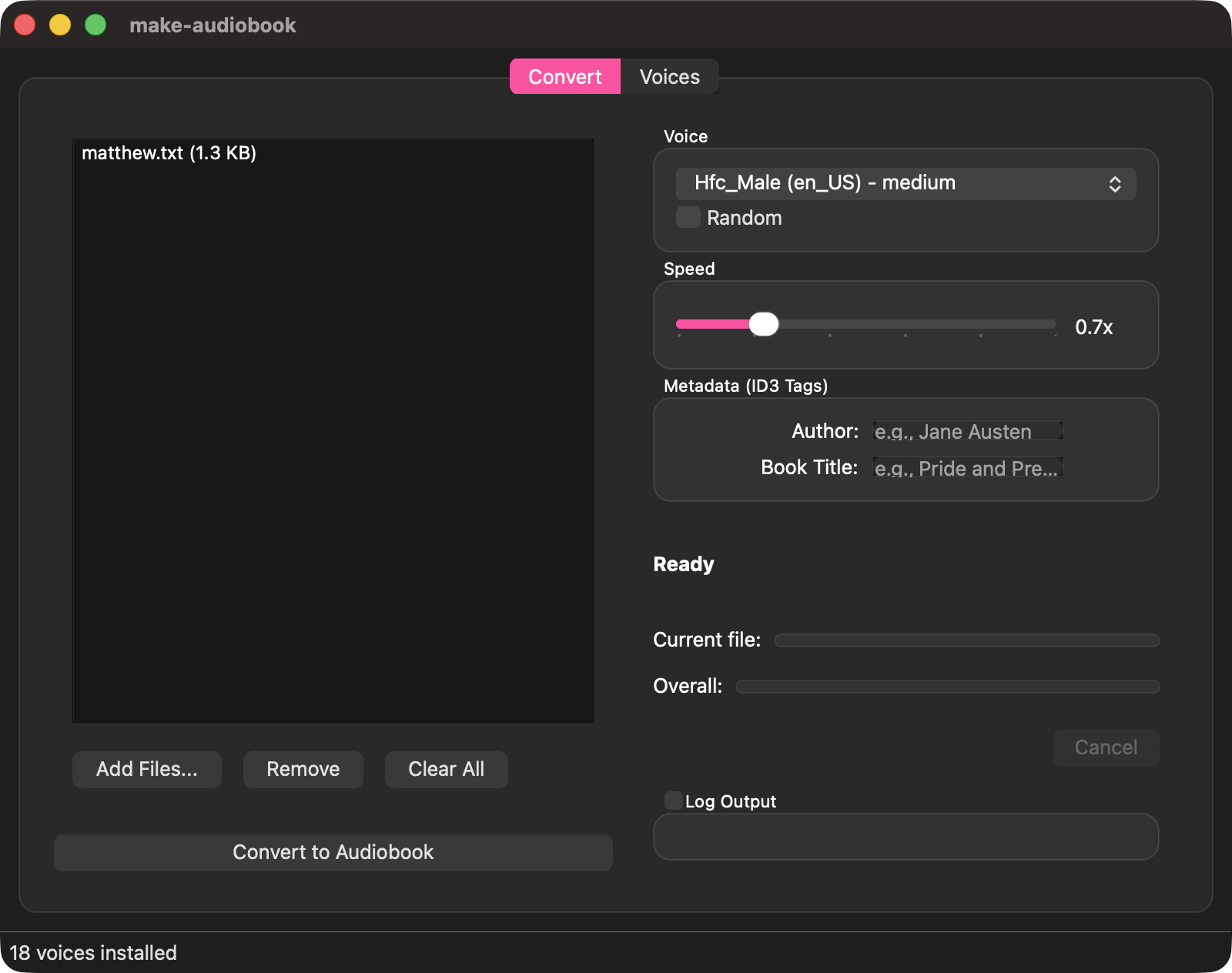
For six months in 2022, I stared at a hospital ceiling. Paralysed from the neck down, audiobooks weren't a luxury—they were my lifeline to the outside world.
That experience taught me something important: access to audio content shouldn't depend on whether a publisher has bothered to record it, whether you can afford the audiobook price, or whether you're willing to hand your reading habits to a cloud service.
The Problem
Most ebook-to-audio tools I found fell into three camps: cloud-based services that upload your books to someone else's servers, complex setups requiring GPU clusters and Python dependency hell, or clunky commercial software with subscription fees.
I wanted something simpler. Something that runs locally, respects my privacy, and just works.
The Solution
I put my coding skills to use and built a little tool called make-audiobook. It converts ebooks and documents into audiobooks using the open-source library Piper TTS—entirely on your own machine. No cloud services. No data leaves your computer. No subscriptions.
It handles:
- ePub, PDF, Word documents, plain text, Markdown, and HTML
- Batch processing for multiple files
- Over 100 AI-generated neural voices to choose from
- Proper ID3 metadata tagging so your audiobook player knows what's what
Available now for macOS and Linux. Windows version in the works.
A Word on Voice Quality
Let's be clear: these AI-generated voices are no substitute for a professional narrator. A skilled actor brings interpretation, emotion, and timing that synthetic speech simply cannot replicate.
But if you can get your hands on the e-book, in a pinch, make-audiobook gets that book onto your phone as an audiobook. The preloaded voices are reasonably passable for consuming books via audio—not perfect, but good enough to follow a narrative on a long walk or while doing the washing up.
For playback, I use and recommend MP3 Books. It handles the MP3 files beautifully, remembers your position, and has sensible speed controls.
Why Local Matters
When you use a cloud TTS service, your reading material travels through someone else's infrastructure. Perhaps you're converting a personal journal, work documents, or research materials. Perhaps you simply believe your reading habits are your own business.
Local processing means the text never leaves your machine. It also means no internet dependency—useful if you're offline, or if you'd rather not rely on a service that might disappear or start charging.
Why Free and Open Source Matters
The other thing I discovered is that the current online tools available for creating audiobooks are either expensive or loaded with malware! I made this tool for my own use, but I'm releasing it as free and open source software so others can benefit too.
make-audiobook is MIT licensed. The underlying TTS engine (Piper) is open source. The voice models are freely distributed. If you need to convert text to audio, the only barrier should be your hardware.
Getting Started
On macOS:
brew install --cask tigger04/tap/make-audiobookOn NixOS:
nix run github:tigger04/make-audiobookFull installation instructions for other platforms are on the GitHub repo.
One important caveat: input files must be DRM-free. Many platforms sell you ebooks but cripple them with "Digital Rights Management" that prevents you from copying (or even loaning to a friend). It also prevents tools like make-audiobook from accessing the text. So accessing an unadulterated copy of the ebook may be your first hurdle. But there are ways.
What's Next
I'm working on Windows support and exploring improvements to voice quality and processing speed. If you have suggestions or encounter issues, the GitHub issue tracker is open.
This is a companion project to my broader thoughts on AI and Accessibility—worth a read if you're interested in how technology can open doors for people with disabilities.